


 P500Q is a quenched and tempered, fine-grained, weldable structural steel grade specified in European standard EN 10028‑6. The designation "P" indicates its primary application in pressure-bearing equipment, while "500" represents the minimum yield strength of 500 MPa. The "Q" suffix denotes that the steel has undergone specific quenching and tempering processes to achieve a combination of high strength, good toughness, and excellent weldability. With a material number of 1.8873, P500Q is commonly used in the fabrication of high-pressure vessels, boilers, and other critical components in the nuclear, petrochemical, and oil and gas industries. Its mechanical properties remain stable across a range of thicknesses, and it typically exhibits a maximum hardness of approximately 30 HRC.
P: Indicates "Pressure" purposes.
500: Represents the minimum yield strength of 500 MPa.
Q: Stands for the delivery condition: Quenched and Tempered (Q+T).
|
P500Q Chemical Composition |
|||||||
|
Grade |
The Element Max (%) |
||||||
|
C |
Si |
Mn |
P |
S |
N |
B |
|
|
P500Q |
0.18 |
0.60 |
1.70 |
0.025 |
0.015 |
0.015 |
0.005 |
|
Mo |
Cu |
Nb |
Ni |
Ti |
V |
Cr |
|
|
0.70 |
0.3 |
0.05 |
1.50 |
0.05 |
0.08 |
1.00 |
|
|
Grade |
P500Q Mechanical Property |
|||
|
Thickness |
Yield |
Tensile |
Elongation |
|
|
P500Q |
mm |
Min Mpa |
Mpa |
Min % |
|
6-50 |
500 |
590-770 |
17% |
|
|
50-100 |
480 |
590-770 |
17% |
|
|
100-150 |
440 |
540-720 |
17% |
|
 Applications
• Pressure vessels and boilers
High-pressure storage tanks, reactor vessels, boiler drums, and other pressure-bearing components in power plants, refineries, and chemical plants.
• Oil and gas industry equipment
Large spherical or cylindrical storage tanks for oil, gas, and LPG; high-pressure pipeline components and manifolds.
• Chemical and petrochemical processing equipment
Reactors, heat exchangers, separators, and columns operating under high pressure and/or high temperature.
• Power generation equipment
Boiler components, steam headers, pressure parts in thermal and nuclear power plants.
• Marine and offshore equipment
Shipboard boilers, pressure tanks, and offshore platform pressure vessels exposed to harsh marine environments.
• General industrial high-pressure equipment
Multi-layer high-pressure vessels, hydraulic accumulators, and other heavy-duty pressure components.
Application Conditions
• Pressure conditions
Suitable for high-pressure service (typically several MPa up to tens of MPa), depending on design, thickness, and certification.
• Temperature range
Commonly used in moderate to elevated temperature environments (typically from approximately –20 °C up to 350–400 °C, subject to specific design codes and manufacturer data).
• Environmental conditions
Can be used in outdoor, humid, and mildly corrosive environments (e.g., industrial, coastal areas), usually with appropriate painting or coating systems.
For highly corrosive media (strong acids, alkalis, or chloride-rich environments), additional corrosion protection or lining is recommended.
• Loading conditions
Suitable for static and cyclic loading (pressure cycling, thermal cycling) typical of pressure vessels and process equipment.
• Fabrication and welding conditions
Welding is generally performed using standard processes (SMAW, GMAW, SAW, etc.), often with preheating and post-weld heat treatment (PWHT) as specified by codes (e.g., EN 1011, ASME IX) to ensure joint toughness and prevent cold cracking.
• Design and standard compliance
Typically designed and fabricated in accordance with EN 10028-6, EN 13445, ASME VIII, or other relevant pressure vessel standards, depending on the project requirements and regional regulations.
 processing flow of P500Q steel
• Raw Material Preparation
Selection of high-quality molten steel with controlled chemical composition; removal of impurities through refining processes.
• Casting
Continuous casting into slabs or ingots to ensure uniform microstructure and minimal segregation.
• Hot Rolling
Heating the slabs to a specific temperature range and rolling them to the required thickness.
Controlled rolling is applied to refine the grain size and improve toughness.
• Quenching
Rapid cooling of the rolled steel plate using water or other quenching media to achieve a high-strength martensitic structure.
• Tempering
Reheating the quenched steel to a moderate temperature and holding it for a specified time.
This step reduces brittleness, improves toughness, and stabilizes the mechanical properties.
• Inspection and Testing
Non-destructive testing (ultrasonic, magnetic particle, etc.) to check for internal or surface defects.
Mechanical property testing (tensile, impact, hardness) to ensure compliance with EN 10028‑6 requirements.
• Cutting and Machining
Cutting the plates to the desired size using flame cutting, plasma cutting, or shearing.
Machining of edges, holes, or other features as required for fabrication.
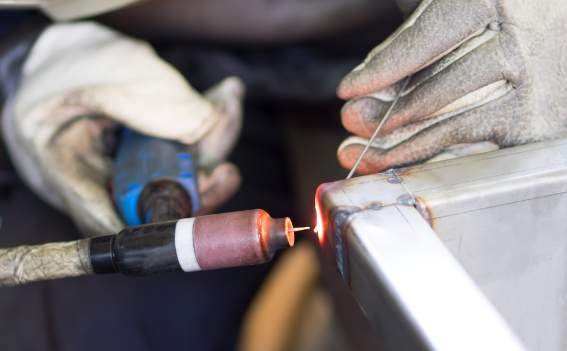
• Welding and Fabrication
Welding using appropriate processes (SMAW, GMAW, SAW, etc.), often with preheating and post-weld heat treatment.
Assembly into pressure vessels, boilers, or other equipment.
• Final Inspection and Delivery
Final dimensional checks, surface treatment (painting, coating), and documentation of test results.
Preparation for shipment to customers.
Full specification and details are available on request. The above information is provided for guidance purposes only. For specific design requirements please contact our technical sales staff.
How to update the firmware of the P500Q?
First, download the latest firmware from the official website to your computer. Connect the P500Q to the computer via USB, open the firmware update tool, select the downloaded firmware file, and click "Update" to complete the process.
What is the weight of the P500Q?
The P500Q weighs only 250 grams, which is lightweight and portable. It is equipped with a comfortable hand strap, allowing users to carry it for a long time without feeling tired, suitable for mobile work scenarios.
How many detection modes does the P500Q have?
The P500Q has three detection modes: automatic mode, manual mode, and scheduled mode. Automatic mode realizes real-time detection, manual mode allows manual operation, and scheduled mode can set fixed detection times as needed.
What should I do if the P500Q fails to turn on?
If the P500Q fails to turn on, first check if the battery is fully charged. If the battery is low, charge it for 30 minutes and try again. If it still doesn't turn on, press and hold the power button for 10 seconds to force a restart.
Is the P500Q equipped with a display screen?
Yes, the P500Q is equipped with a 2.4-inch color LCD display screen. It can clearly show real-time detection data, device status, and operation prompts, allowing users to obtain information without connecting to other devices.
How to reset the P500Q to factory settings?
Turn on the P500Q, enter the "Settings" menu, find the "Factory Reset" option, and confirm the operation. Note that resetting will clear all stored data and settings, so back up important data in advance.
What is the detection accuracy of the P500Q?
The P500Q has a high detection accuracy, with an error range of ±0.1%. It adopts advanced sensor technology, which can effectively reduce external interference and ensure that the detected data is true and reliable in various working environments.
Can the P500Q be used for outdoor detection?
Yes, the P500Q is suitable for outdoor detection. It has a waterproof and dustproof function, and the display screen has a backlight function, which can be clearly seen even in strong sunlight. It can adapt to various outdoor harsh environments.
How to replace the battery of the P500Q?
The P500Q uses a rechargeable lithium battery. To replace it, first turn off the device, open the battery cover on the back with a screwdriver, take out the old battery, and install the new matching battery, then close the battery cover.
Does the P500Q support wireless charging?
No, the P500Q does not support wireless charging. It only supports wired charging via the dedicated USB cable. The charging port is located at the bottom of the device, with a protective cover to prevent dust and water from entering.